Step three
It plans, on your rules
A generic optimiser returns a plan the yard rejects. Cargo-Planner takes the constraints your operation actually works under and plans inside them — and still leaves you the last word.












The constraints
Everything that decides whether a plan is valid
Segregation, stacking, orientation, priority and delivery order are separate settings because operations weight them differently: what is unbreakable in one yard is a preference in the next. Set the ones that apply to you and the solver plans inside all of them at once.
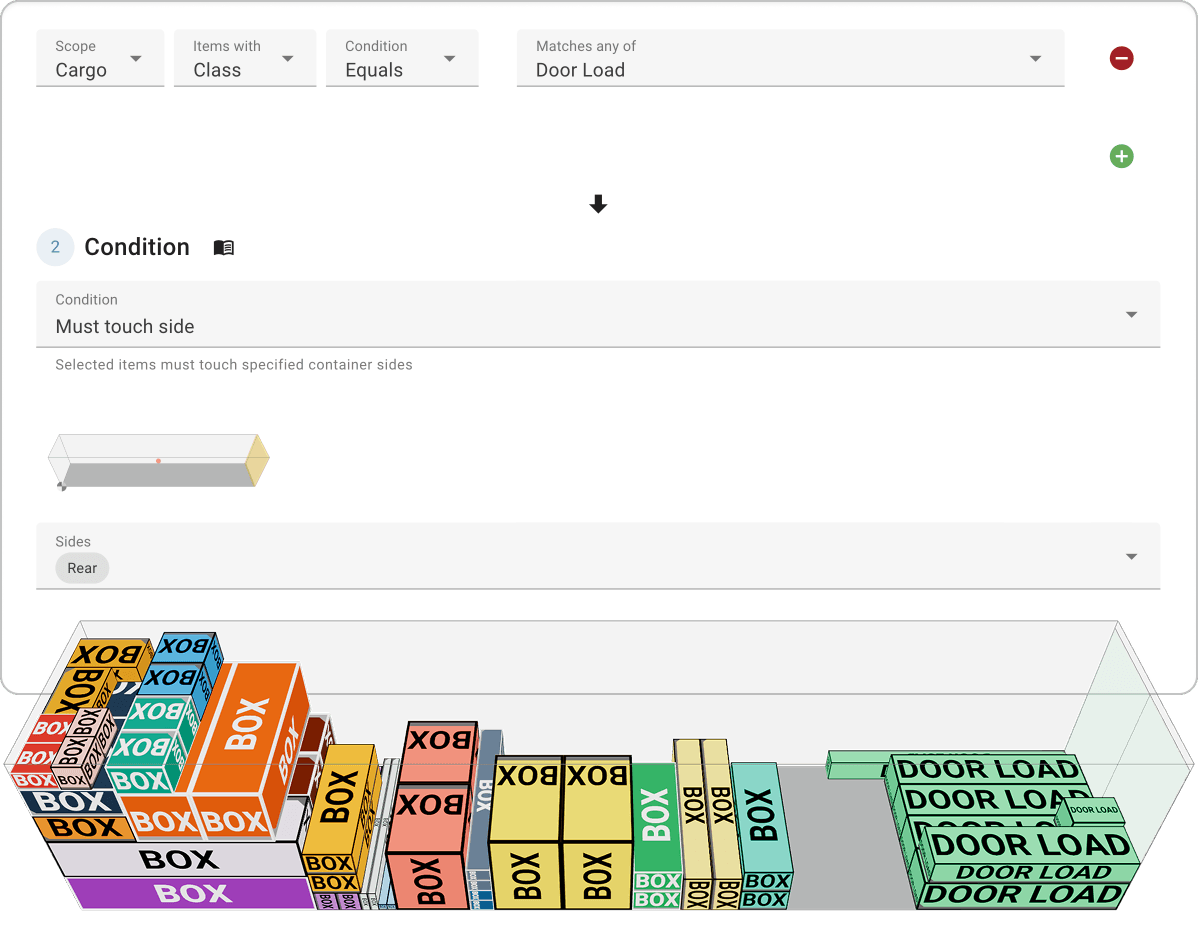
Custom rules
Maybe you have some special business logic rules, like which cargoes can support which, which cargoes must be loaded first, which ones must be loaded into certain container types? With a great variety of selectors and rules - you should be able to simulate all your needs
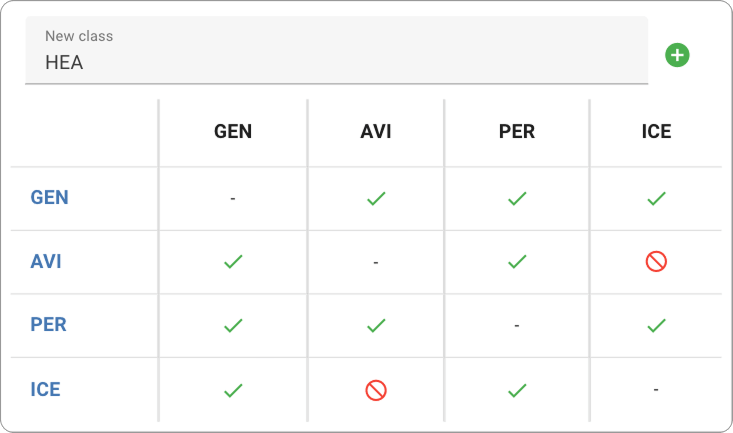
Segregation table
Do you have items that cannot be stored together? No problem, just set up your own segregation table to make sure that incompatible item types are loaded in different containers.
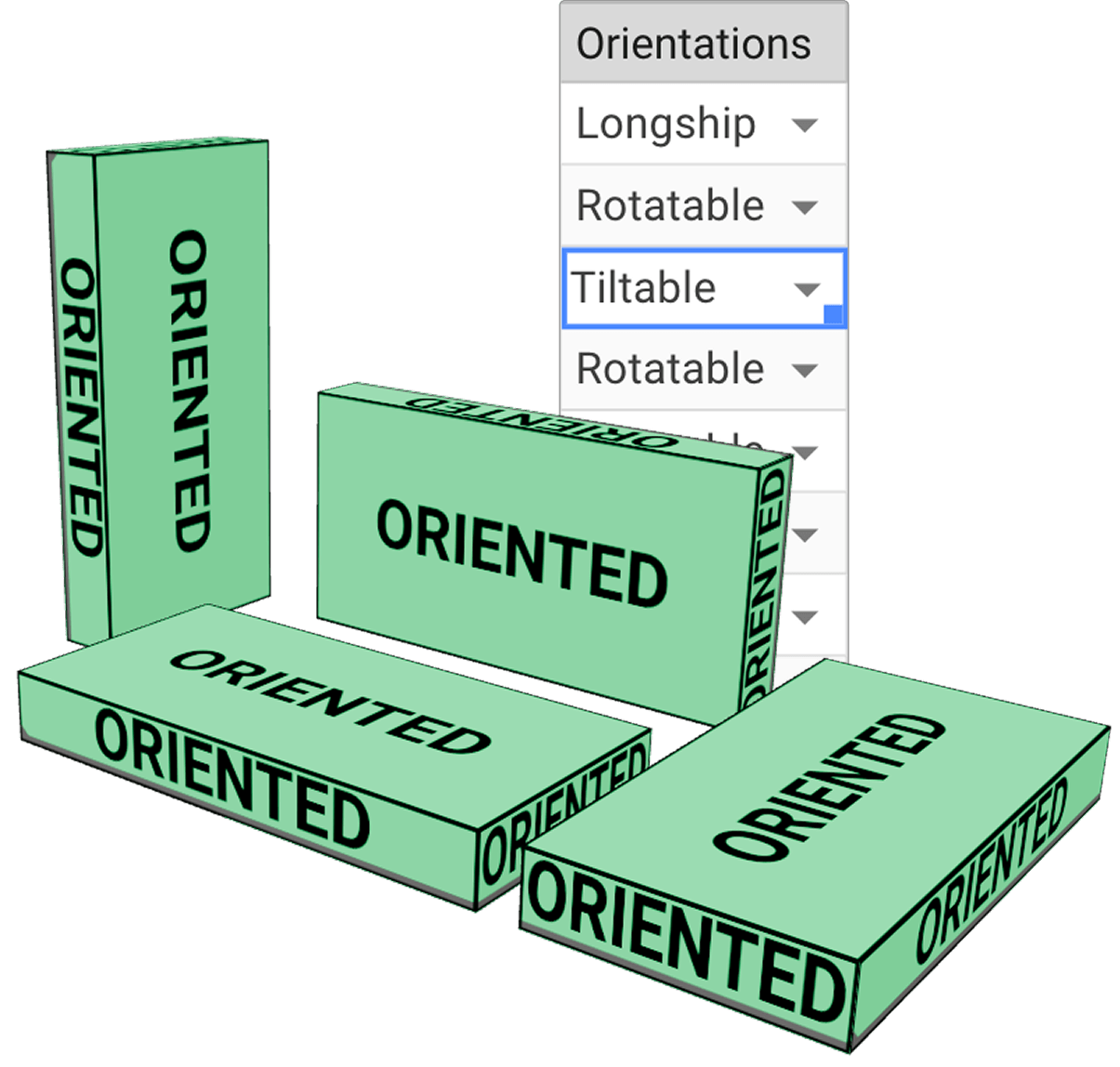
This way up
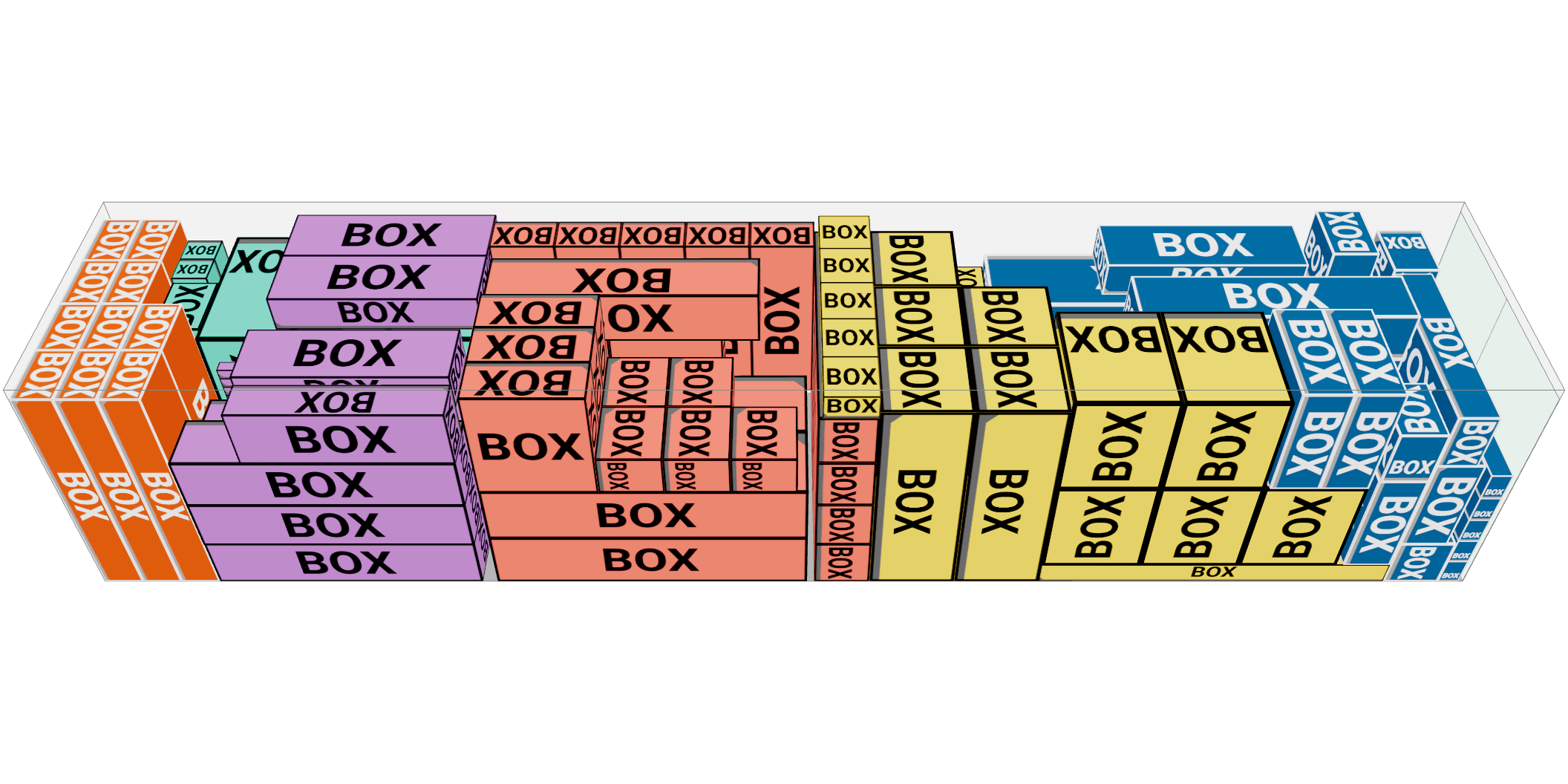
Some cargo rotates freely, some may be tilted in any direction, some has one permitted orientation and a fine attached to getting it wrong. Set it per cargo and the solver plans within it.
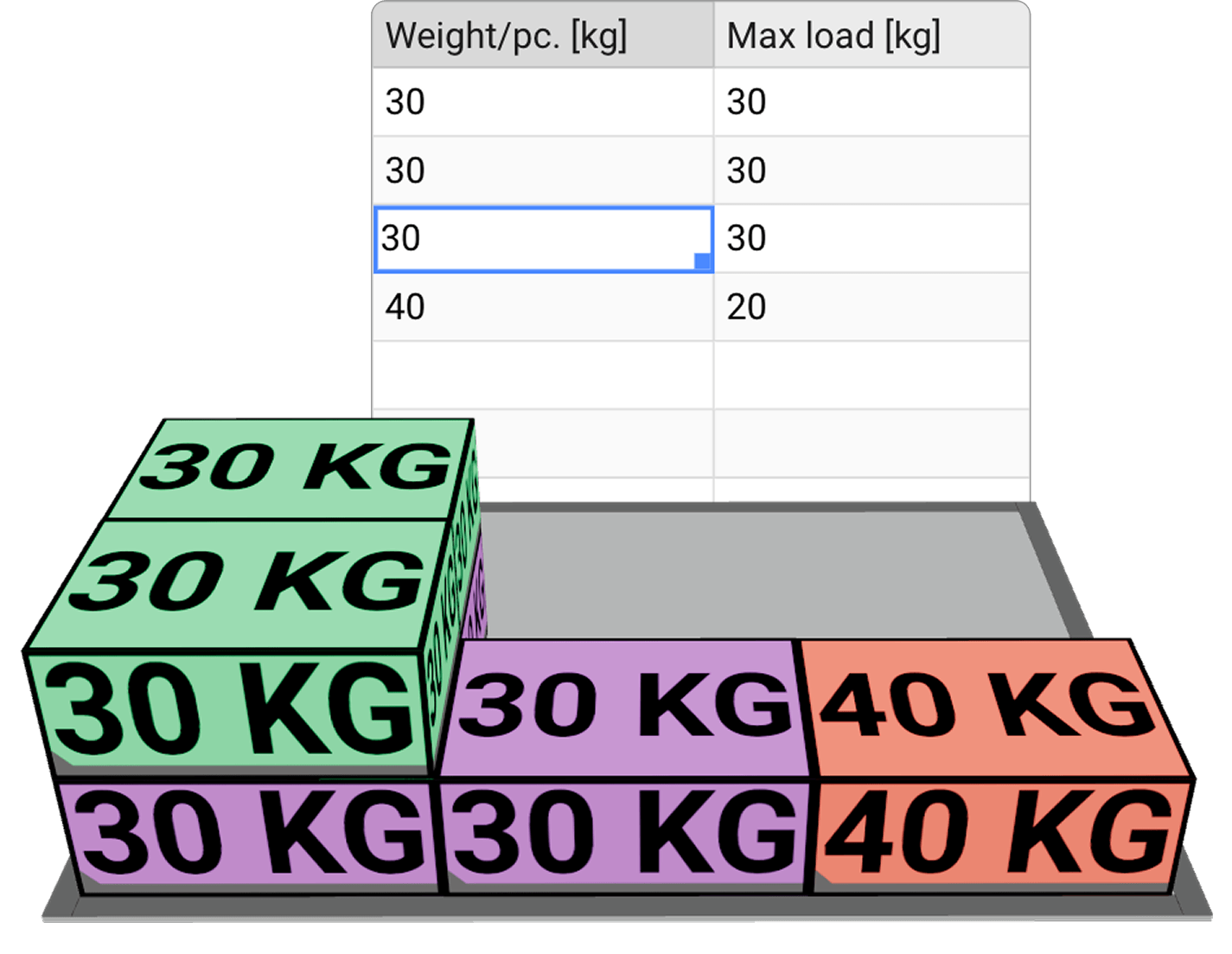
What can take weight, and how much
A pallet and the trailer carrying it take different stacking rules. Set what may go under what, and how much load each level bears.
Load by Priority
You can assign priorities to cargoes to make sure they are loaded in a certain order. You can also assign Consignment IDs to make sure consignments are not split between different containers
Attach Shipment ids, AWBs, Purchase orders or customer references to your items and tell the tool to keep those cargoes together - and not to be spread between different containers
Attach Shipment ids, AWBs, Purchase orders or customer references to your items and tell the tool to keep those cargoes together - and not to be spread between different containers
Planner mode
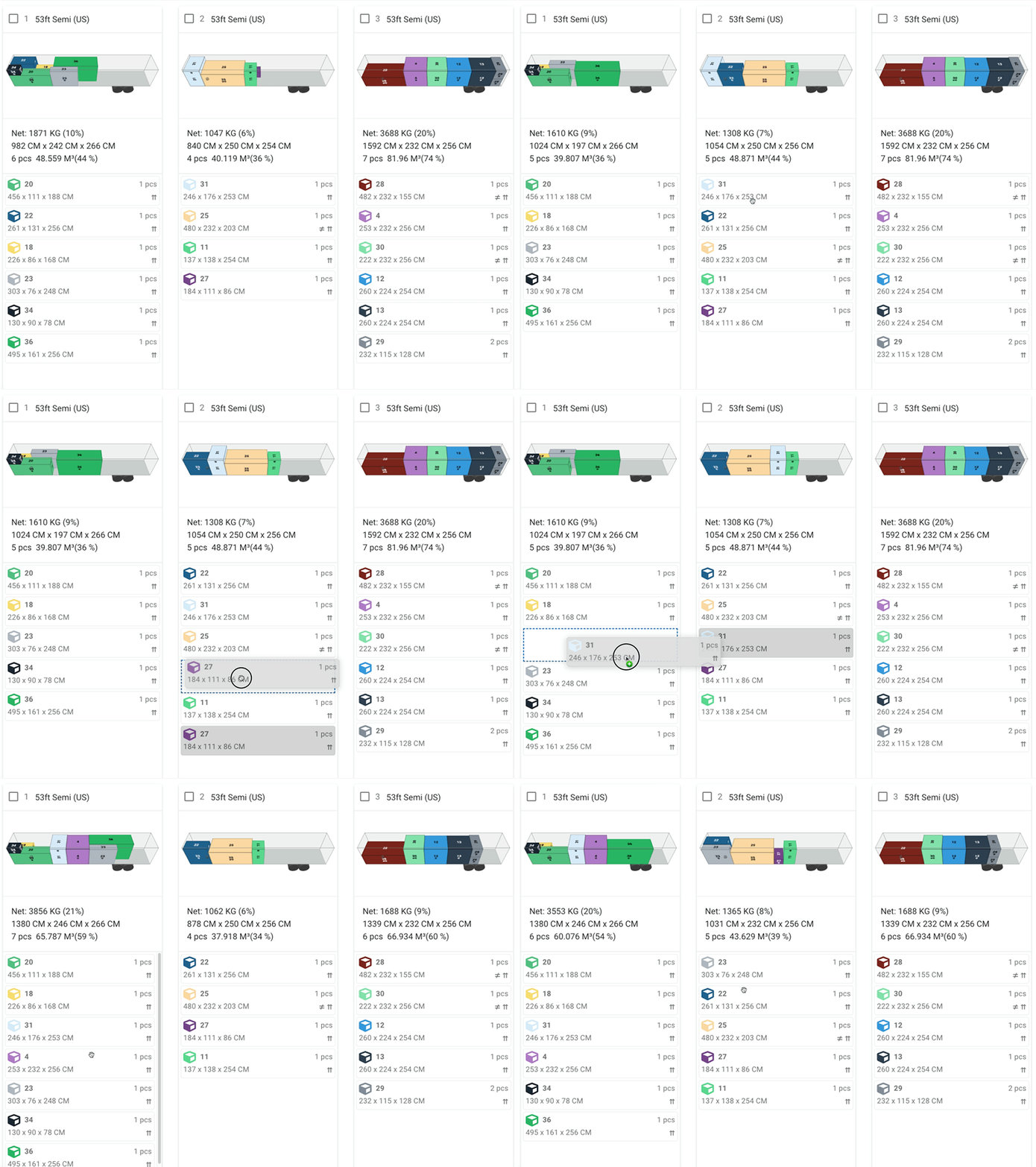
We still believe that a human stowage planner has a better eye than a computer at determining if a load plan is good to go. Therefore, modifying the result is extremely easy
- Move between containers - Drag a cargo from one container to another to a designated position.
- Move within the same container - Change the order and position of a cargo by moving the corresponding card up and down in the list.
- Unload cargoes - Easily remove a cargo from a container if you wish to short ship the cargo.
- Load from unloaded - Drag a cargo from your list of unloaded cargoes into the designated container at the designated position.
- Easily convert a loaded container to another type
- Remove containers and / or add empty ones
- Move around the cargoes with your mouse or keyboard
The rule you think it cannot handle
Most evaluations turn on one constraint someone is sure no tool respects. Set it up and see - and if it genuinely is not in there, that is a useful twenty minutes for both of us.
Start Free Trial