Cargo-Planner Docs
Out-of-gauge cargo
Out-of-gauge (OOG) cargo is any item that would extend past a container’s declared envelope on one or more sides — pipes overhanging the rear, oversized boxes wider than the trailer, coils riding on a flatbed. Cargo-Planner lets you allow specific items to protrude by a stated distance using a custom rule, and flags the resulting placement in the interactive view.
Cargo-planner allows 33% OOG loading as a default for open containers.
For explicit management of the OOG limits, three separate mechanisms can be used:
| Mechanism | Where | What it does |
|---|---|---|
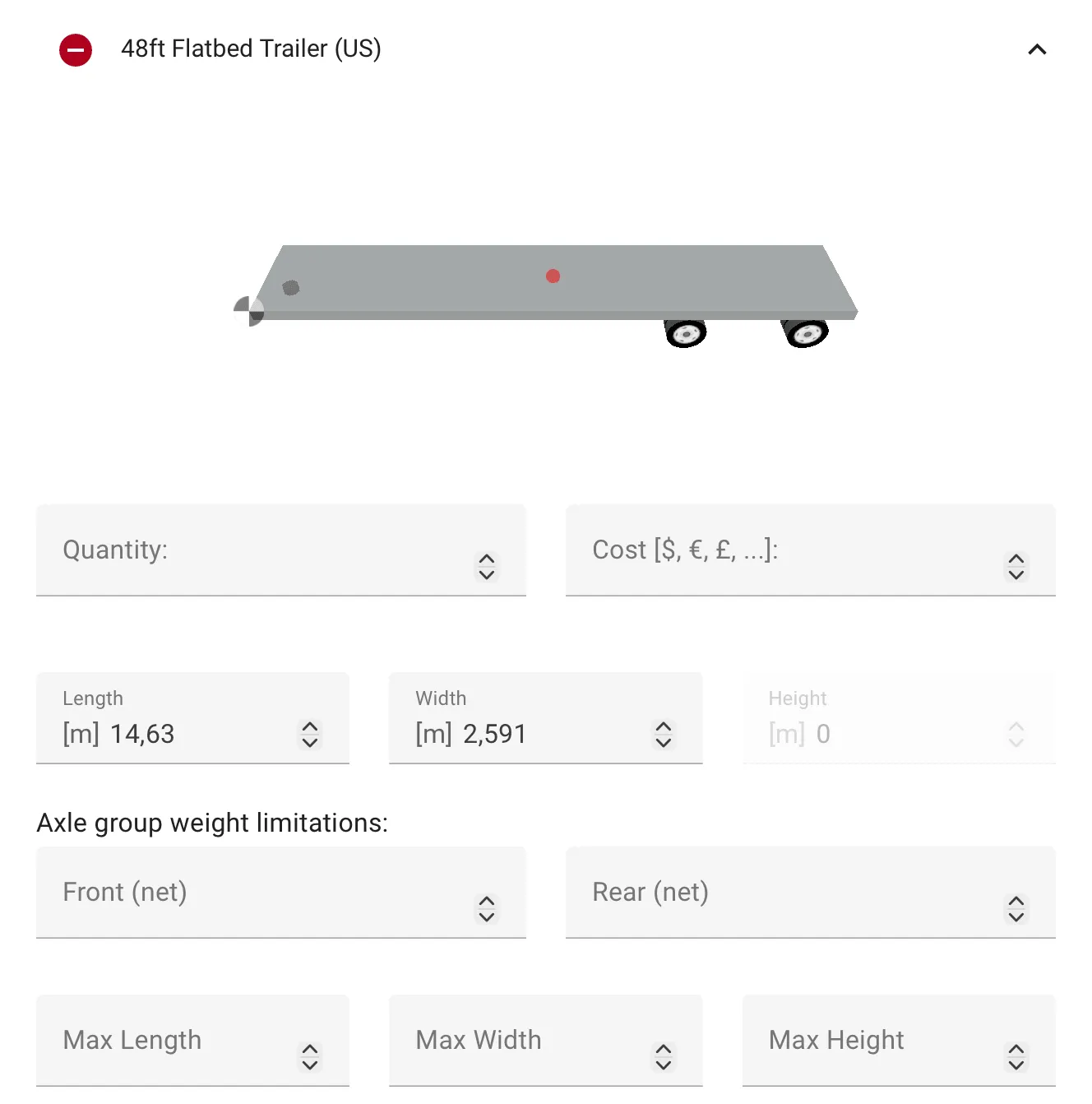
| Max length, Max width, max height on the trailer | Setup → Expand selected equipment | Grants items permission to overhang in given directions by a set distance. |
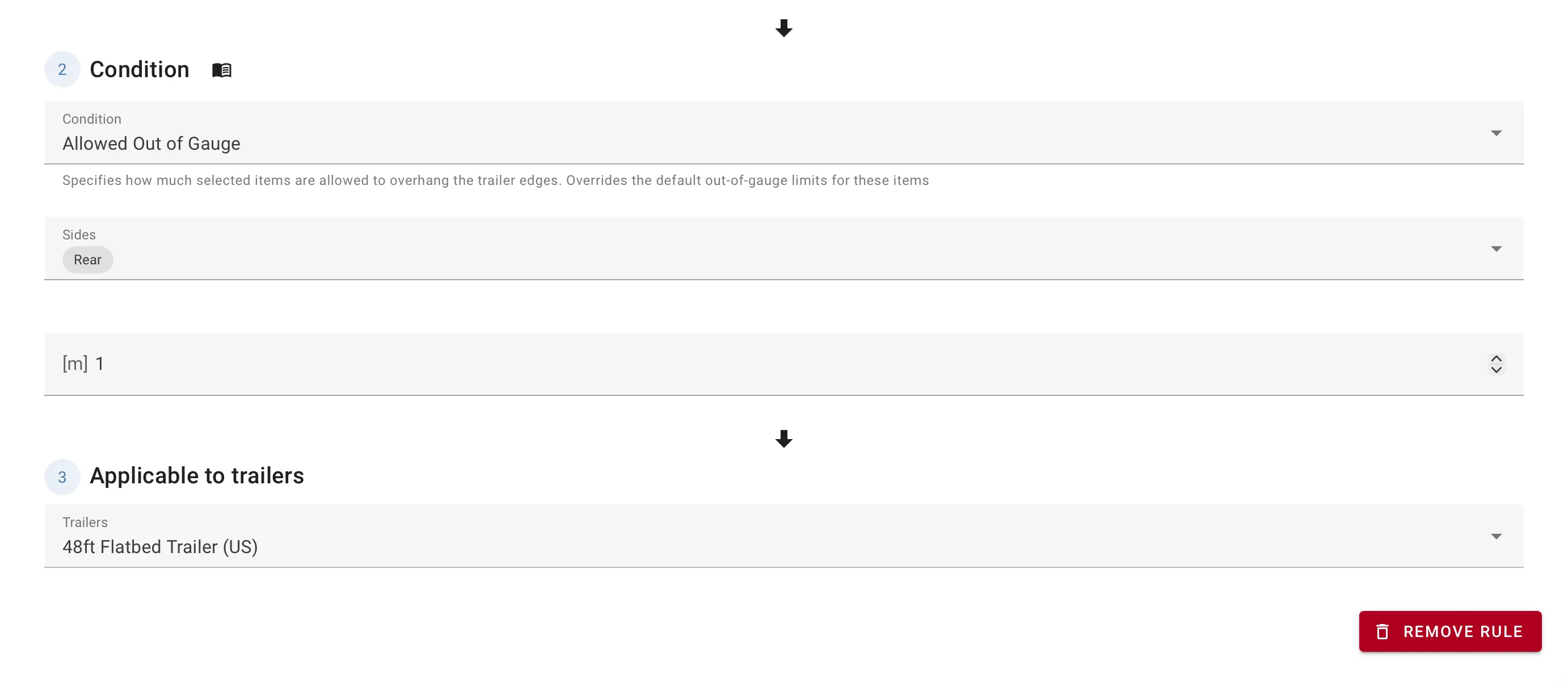
| Allowed Out of Gauge rule | Load settings → Custom rules | Grants selected items permission to overhang selected sides by a set distance. |
| Max Length With Extension on the trailer | Container editor → Road → Special transports | Physically extends the trailer for cargo that requires more length than the base container. See Axles and legal limits. |
The three mechanisms are independent. Use the max length, width and/or height or rule for cargo that protrudes past the trailer’s edges as it sits. Use the extension for cargo that needs a longer trailer to fit in the first place.
The directional max limits
Add the directional limits in 2. Setup → expand selected equipment → Add limits on specific direction.
The Allowed Out of Gauge rule
Add the rule from Load settings → Custom rules → Add rule → Allowed Out of Gauge.
Select the items the permission applies to using the item selector, then configure two values:
| Field | Meaning | Unit |
|---|---|---|
| Sides | Which sides of the container the selected items may protrude past. Multi-select over Front, Side 1, Rear, Side 2. | — |
| Distance | The maximum distance items may protrude past the selected sides. Same distance applies to every selected side. | Length |
Seeing OOG placements
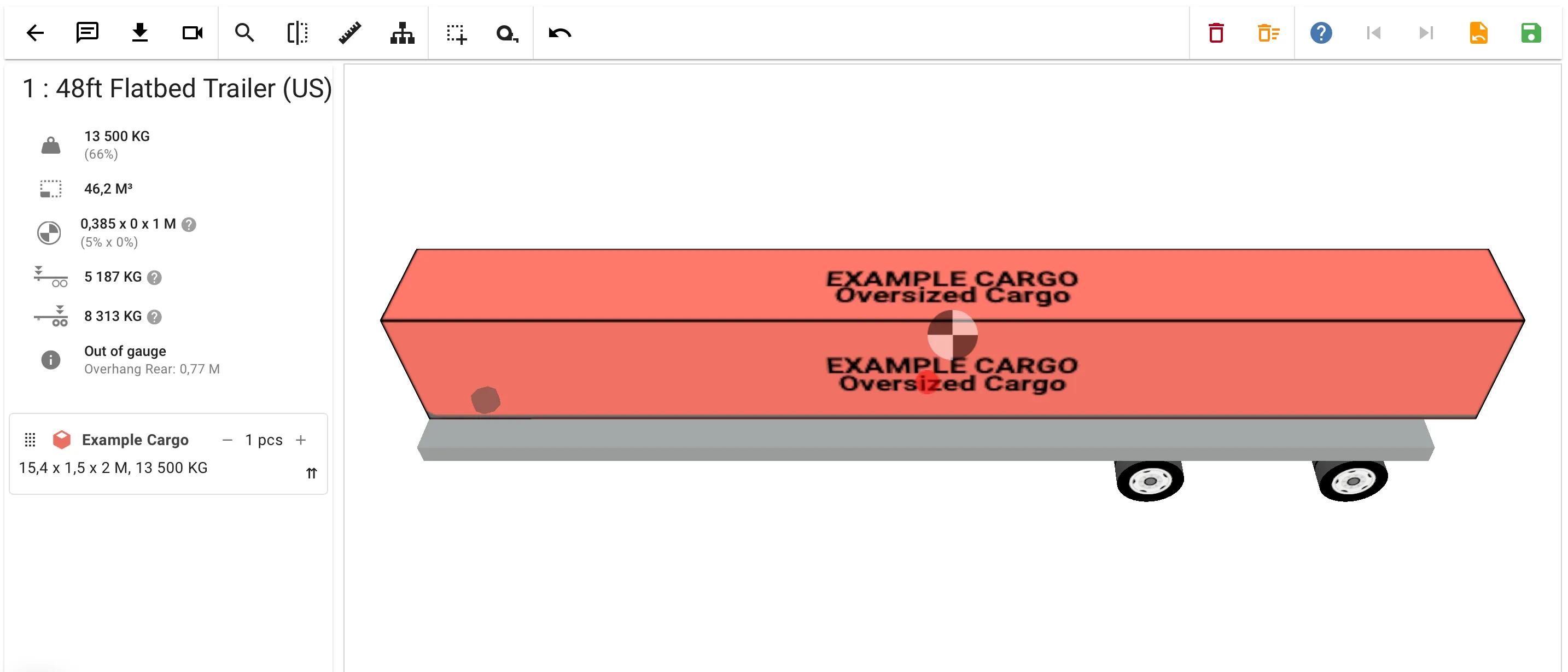
When cargo actually uses its overhang permission, the interactive view marks the trailer with an OOG indicator in the out-of-gauge list. The same list flags trailers that use their extendable length as Extended trailer.
Related
- Custom rules — the rule editor and the item selector.
- Axles and legal limits — for cargo that needs a physically extended trailer.
- Cylinders — pipes and drums are common OOG cargoes; their laying orientations often produce protrusions.