Cargo-Planner Docs
Container contours
Use the Contours tab to describe corners of a container that are not perfect right angles: the sloped nose of a trailer, the curved top of a ULD, the tapered sides of a specialty flatrack. Each contour is a triangular cut into one corner of the container envelope. The load plan treats the cut as unusable space.
Open a container from Equipment in the main navigation, then select Contours. The tab is available on every equipment type. Editing library equipment requires the Equipment Editor permission.
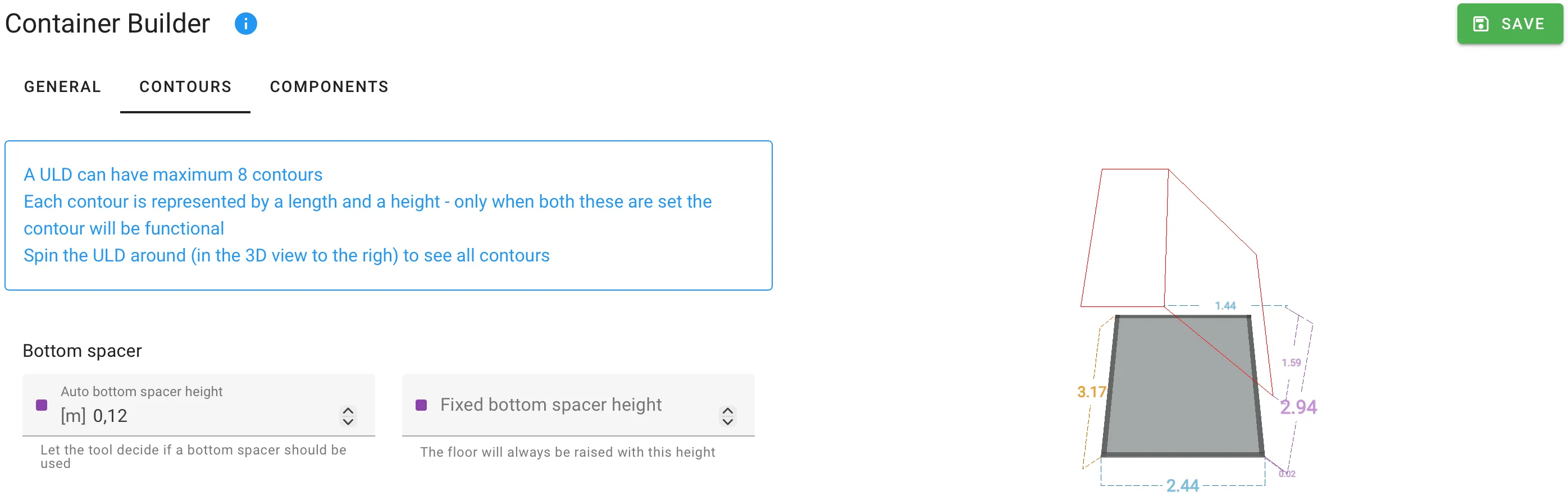
A container can have a maximum of eight contours — one at each corner (front top, front bottom, rear top, rear bottom, and the four equivalents on the two long sides). Rotate the 3D preview on the right to see all of them.
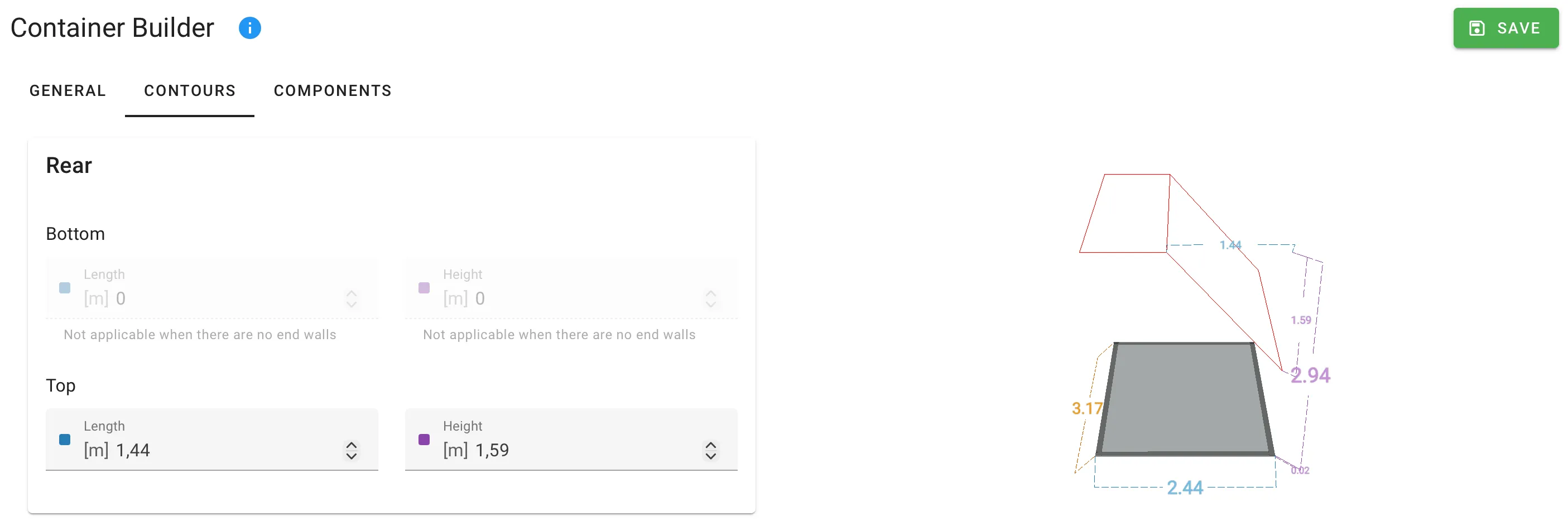
Defining a contour
Each contour is described by two numbers:
| Field | Meaning | Unit |
|---|---|---|
| Length or Width | How far in from the corner edge the cut starts. Front and rear contours use Length; side contours use Width. | Length |
| Height | How much of the corner is cut away, measured from the floor or ceiling. | Length |
Both values must be set for the contour to take effect. Leave either at zero to disable that corner.
Front, Rear, Side 1, Side 2
The four cards on the tab correspond to the four faces of the container. Each card holds two sub-groups:
- Bottom — the contour cuts into the floor corner of that face.
- Top — the contour cuts into the ceiling corner of that face.
Bottom contours on the front and rear are disabled when the container has no end walls (open-ended flatrack). Bottom contours on Side 1 and Side 2 are disabled when the container has no side walls.
Bottom spacer
At the top of the tab, the Bottom spacer group lets the container raise its usable floor above the actual floor — useful when equipment sits on skids, dunnage or a slip-sheet.
| Field | Meaning | Unit |
|---|---|---|
| Auto bottom spacer height | The load plan decides whether to insert a spacer. | Length |
| Fixed bottom spacer height | The container always raises its floor by this amount. | Length |
Set one or the other, not both.
Related
- Custom containers — the end-to-end walkthrough that introduces the Contours tab.
- Components — for internal geometry that a contour cannot describe.