Cargo-Planner Docs
Axles and legal limits
Use the Road tab in the container editor to set axle weight limits, axle spacing and road-legal limits on trailers and on sea containers with axles. The load plan respects these limits when placing cargo and reports the resulting axle weights in the interactive view.
Where to set this
The axle and legal-limit fields live in two places, and the two places do not expose the same fields:
| Location | Scope | What you can edit |
|---|---|---|
| Equipment in the main navigation → open a container | The saved container template. Changes apply to every load plan that uses it. | The full Road tab: axle positions, count, spacing, weight limits, ground clearance, tyre radius, legal weight, legal height, extendable length. |
| Setup step of a load plan → expand a container | Only the current load plan’s copy of the container. The library template is unchanged. | Front and rear axle weight limits and legal weight only. The other Road-tab fields are not surfaced here. |
Editing library equipment requires the Equipment Editor permission.
Front and rear axle sets
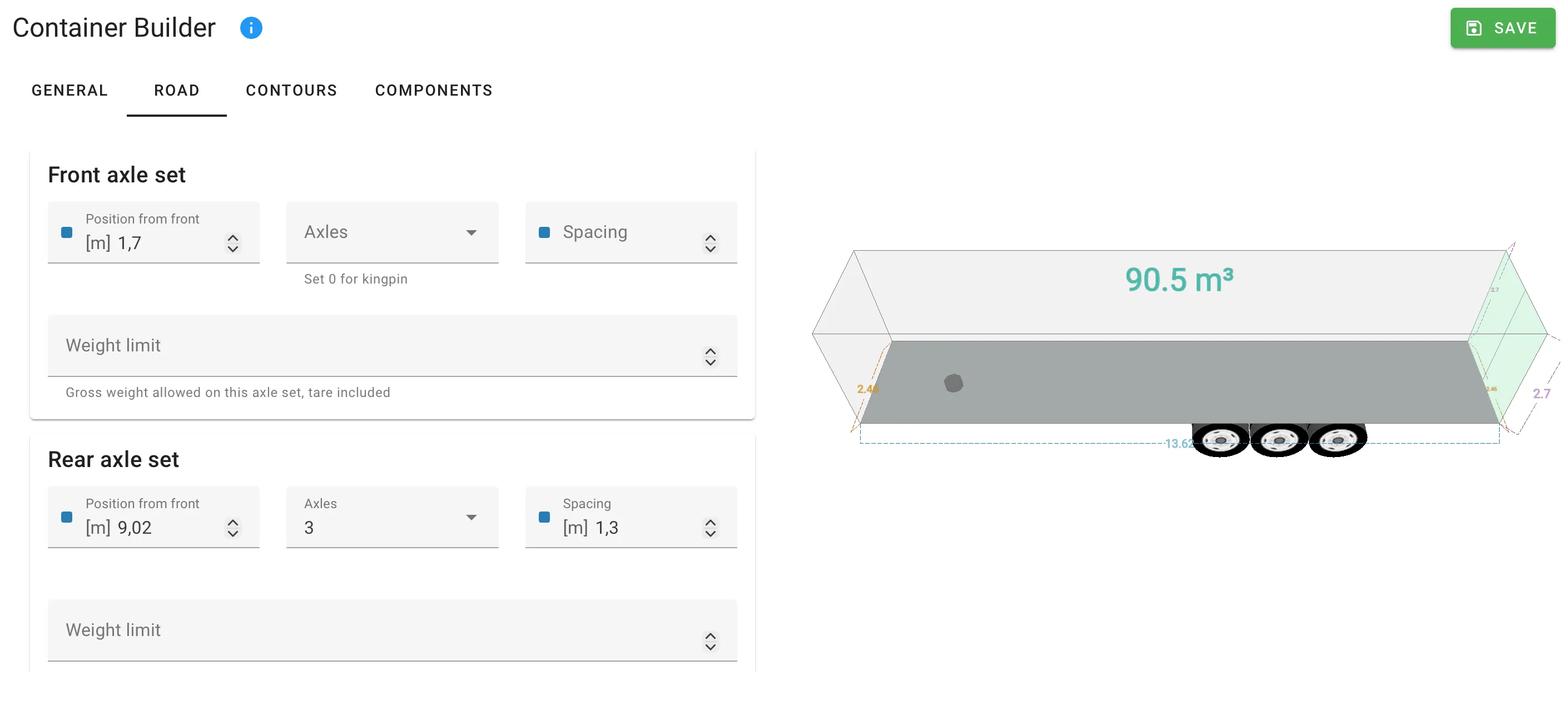
The Road tab has two identical cards, Front axle set and Rear axle set. An axle set is a group of axles the load plan treats as one bearing point. Set the number of axles in each group and the position of the group along the length of the container.
| Field | Meaning | Unit |
|---|---|---|
| Position from front | Distance from the front of the container to the first axle of the set. | Length |
| Axles | Number of axles in the set, 0–9. | Count |
| Spacing | Distance between neighbouring axles in the set. | Length |
| Weight limit | Weight the set is permitted to carry. The label shows Weight limit (net) when the container’s tare is 0. See How the weight limit is interpreted below. | Weight |
Set the front group first, then the rear.
How the weight limit is interpreted
The Weight limit field switches meaning based on whether the container has a tare (weight of the empty trailer):
- If Tare on the General tab is set, the limit is the gross weight allowed on the set (tare included).
- If Tare is
0, the label reads Weight limit (net) and the value is the cargo weight allowed on the set only. Enter a tare to use gross limits.
The field hint under each input reflects the active interpretation.
If the sum of the front and rear axle max weights is less than the tare, the editor shows a validation error — the trailer cannot physically carry itself under the declared limits.
Ground clearance and tyre radius
Two fields at the top of the Road tab only take effect once axles are set:
| Field | Meaning | Unit |
|---|---|---|
| Ground clearence | Distance from the ground up to the loading floor. Adds to the total height when the trailer is loaded on the road. | Length |
| Tyre radius | Sets the drawn tyre size in the 3D view. Does not affect calculation. | Length |
The General tab’s separate Floor height field is the thickness of the floor or deck below the cargo, and is unrelated to axles.
Special transports (legal limits)
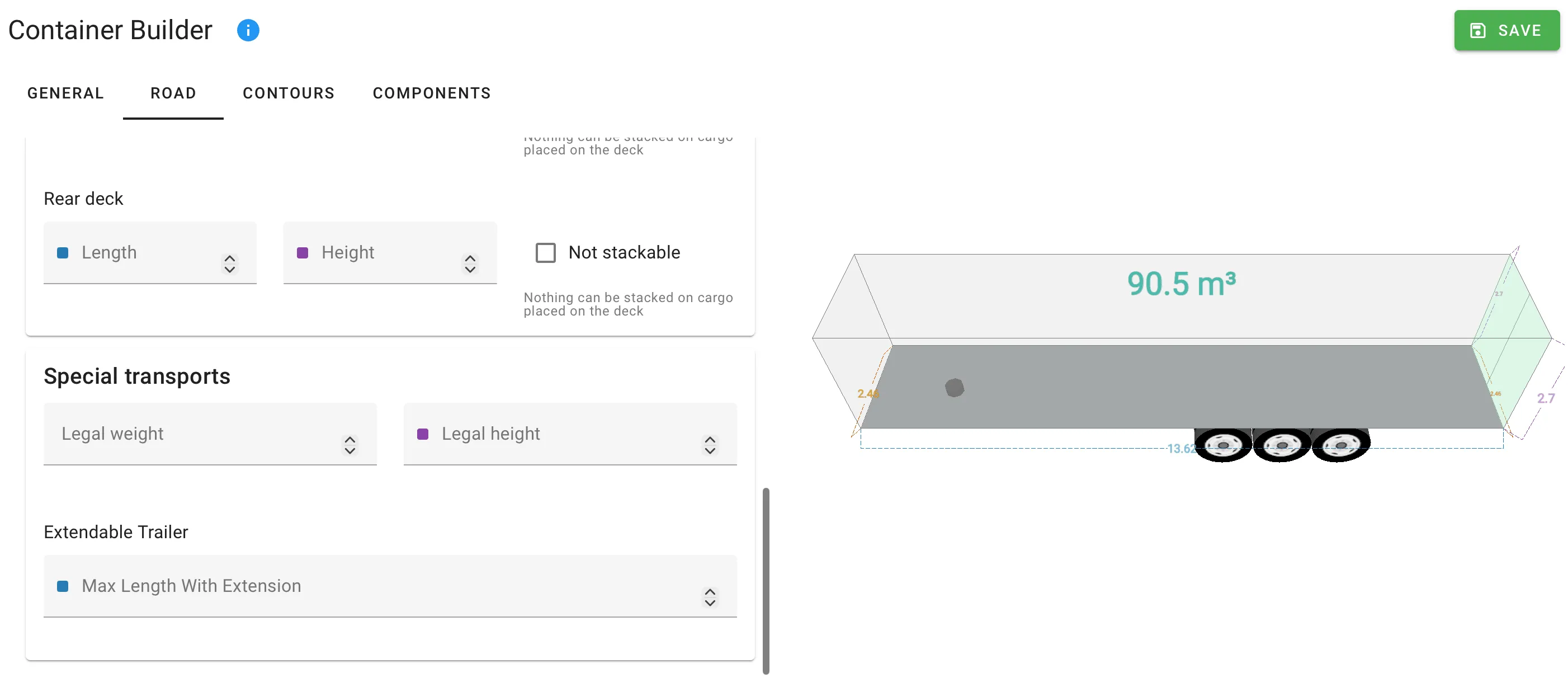
The Special transports card on the Road tab holds road-legal limits that are separate from the container’s physical envelope. A cargo can exceed a legal limit — the load plan simply flags it as a special transport and prevents non-special cargo from being co-loaded.
| Field | Meaning | Unit |
|---|---|---|
| Legal weight | Weight above which the load counts as a special transport. If one cargo exceeds this weight, no other items are co-loaded on the same trailer. | Weight |
| Legal height | Height above which the load counts as non-divisible. Non-divisible loads can be loaded above the legal height, up to the container’s physical Max height. | Length |
The Max height on the General tab is the physical maximum. Legal height is the road-legal ceiling within it. Non-divisible cargo may be placed between the two.
Extendable trailer
For trailers that can be physically extended (drop-deck extendables, expandable step-decks), set Max Length With Extension to the total length the trailer reaches when extended. The load plan uses the base length for normal cargo and extends only when a cargo requires it.
Max Length With Extension must be greater than the container’s base Length.
When a load plan actually uses the extension, the interactive view flags the trailer with an Extended trailer indicator in the out-of-gauge list. The indicator is set by the solver — there is no user field for the extension state.
Seeing the results
Once cargo is placed, the interactive view reports the actual axle weights per set. The values shown are:
- Front axle weight / Rear axle weight — gross weight on each set, including tare (shown when a tare is set).
- Front net axle weight / Rear net axle weight — cargo weight on each set only.
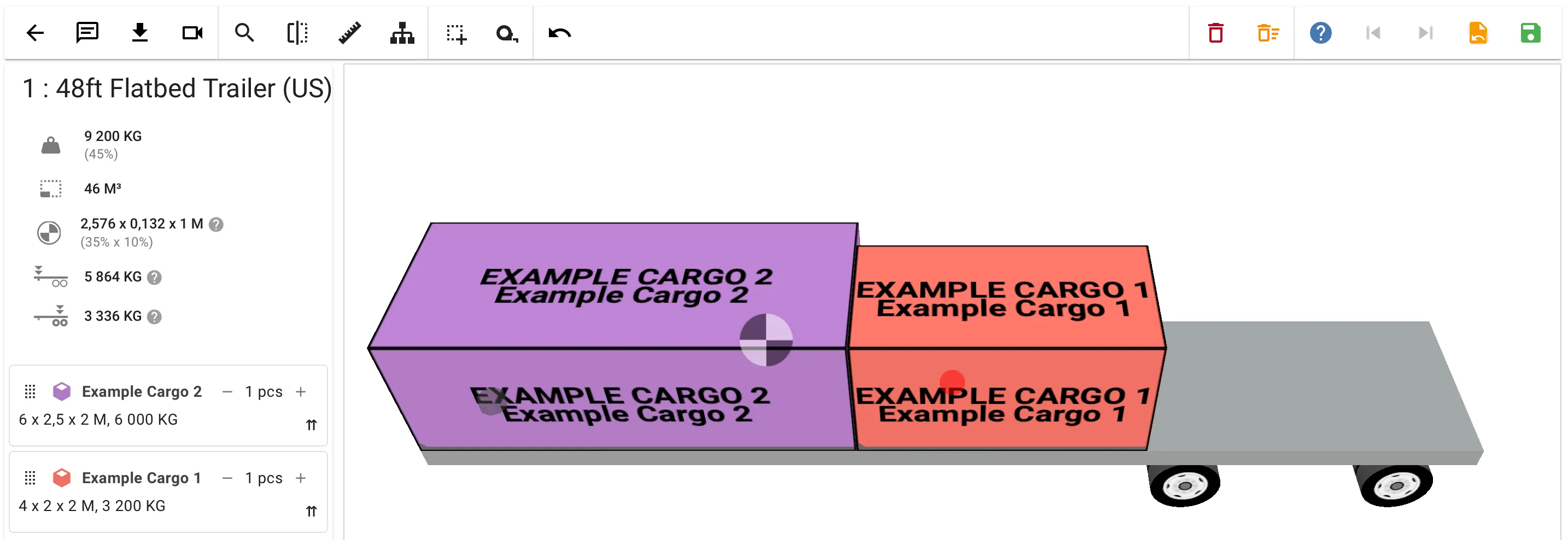
The axle-weight and centre-of-gravity block can also be added to a custom load plan layout for PDF export.
Related settings
- Center of gravity limits — cap how far the loaded CoG may drift from the container centre. Uses the same Tare value for the calculation.
- Custom containers — build a trailer from scratch, including its axle configuration.