Cargo-Planner Docs
Routing and load order
Enable routing when you want the load plan to sequence cargo by delivery stop so the trailer is unloaded in the reverse of the loading order — last-loaded first-out. Cargo-Planner reads the per-item Destination value and orders the plan accordingly.
Routing is only available for road-type load plans. On sea and air lists the toggle is not shown, but the per-item Destination column is still available for other uses (map view, reporting).
Turning routing on
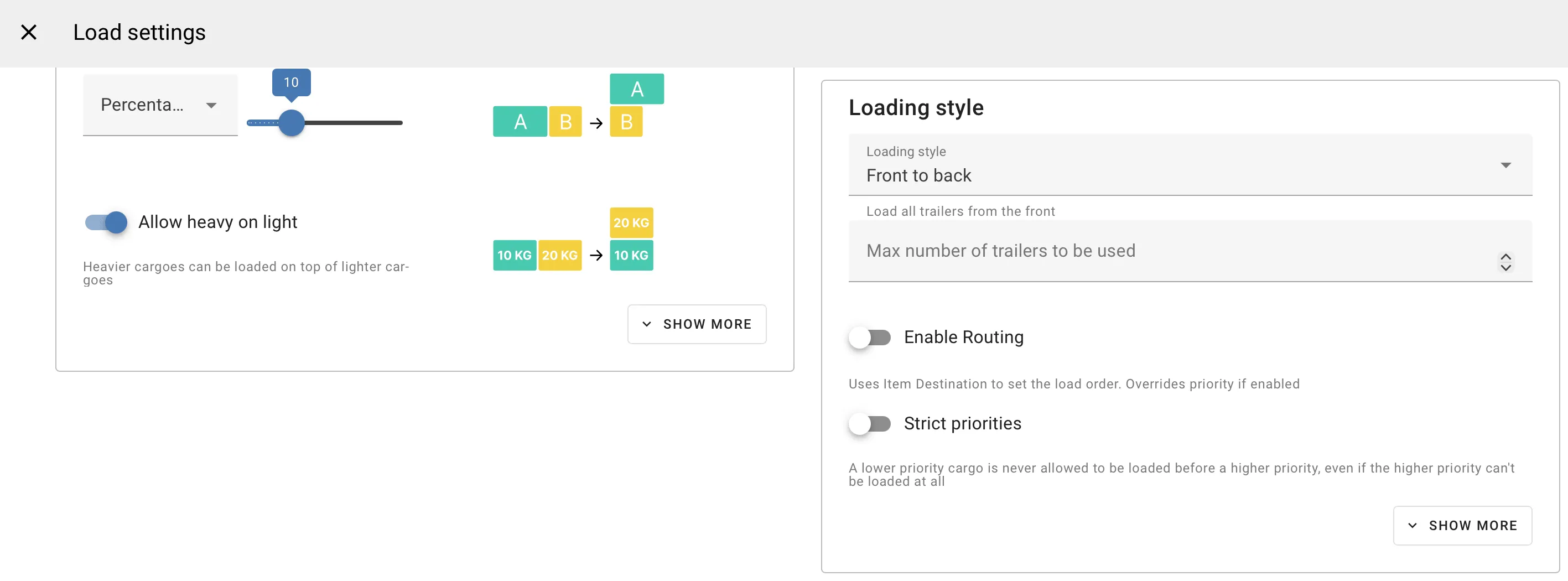
Open Load settings → Primary settings and toggle Enable Routing. The hint reads:
Uses Item Destination to set the load order. Overrides priority if enabled.
Routing is off by default. When on, it takes precedence over both cargo priority and the Strict priorities setting for the purposes of load order. Priority still influences which items ship if the plan does not fit everything.
Setting a destination on cargo
Add a Destination to each item on the data grid. The column shows a text cell with a map pin (mdi-map) icon in the corner; clicking the icon opens a searchable location picker backed by OpenStreetMap.
Values are free text. Any string works — an address, a city name, a stop code — because the load plan sequences on string equality, not on geodesic distance. Group cargo for the same stop under the same destination string.
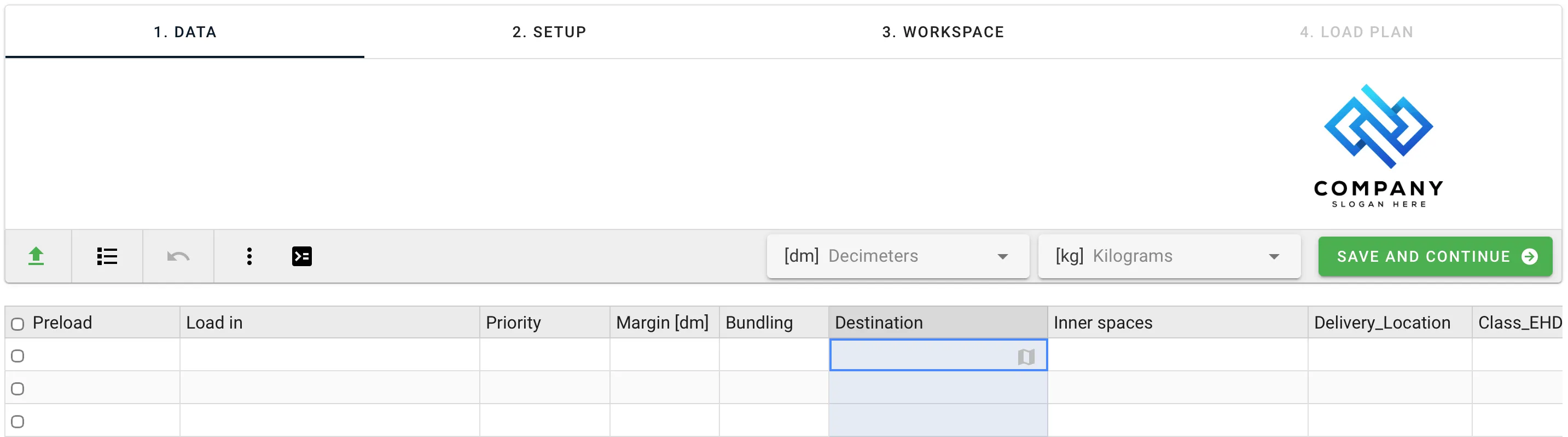
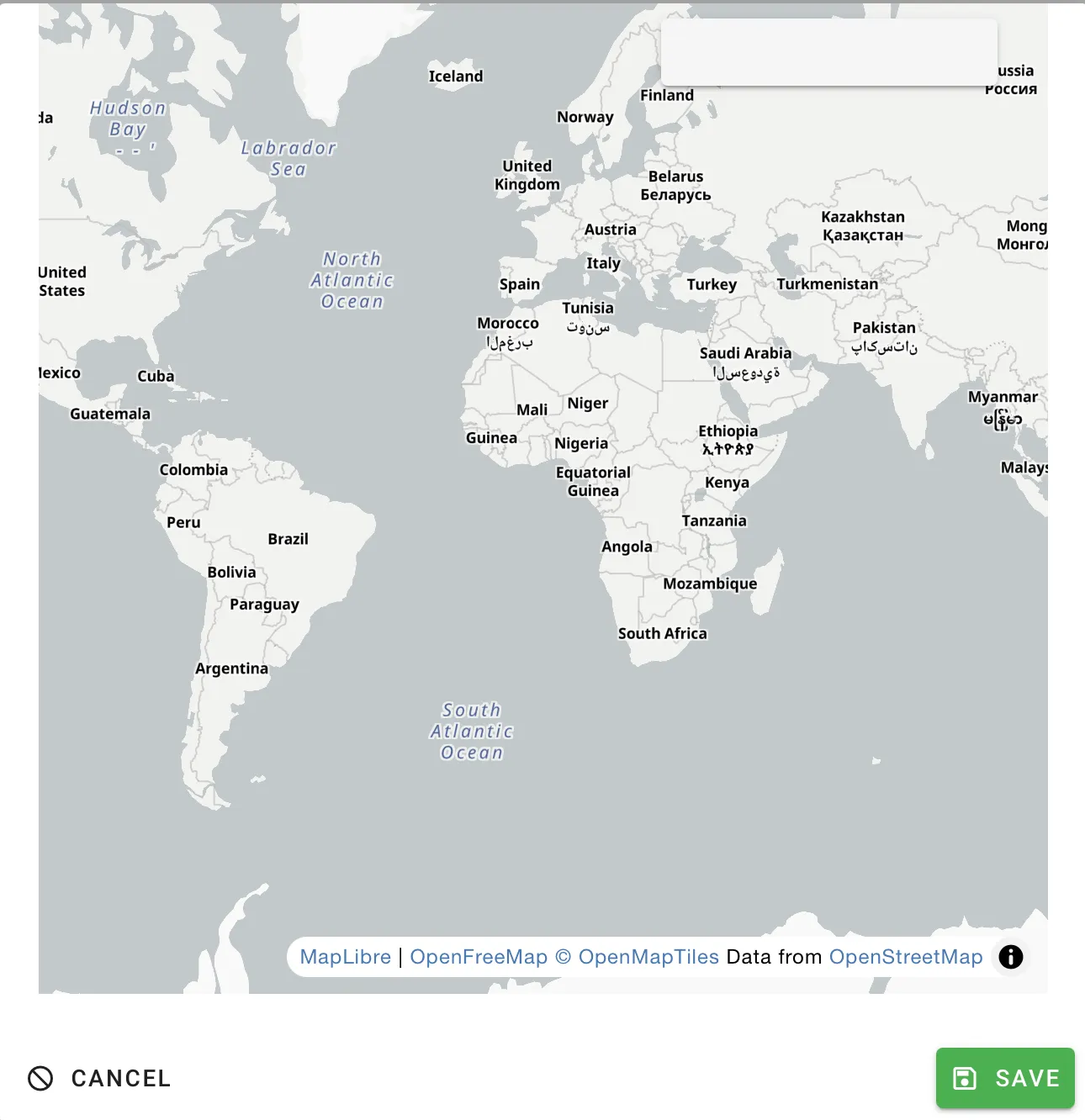
The Destination column is present on all road, sea and air load plans. It is not shown on pallet-only lists.
POL and POD
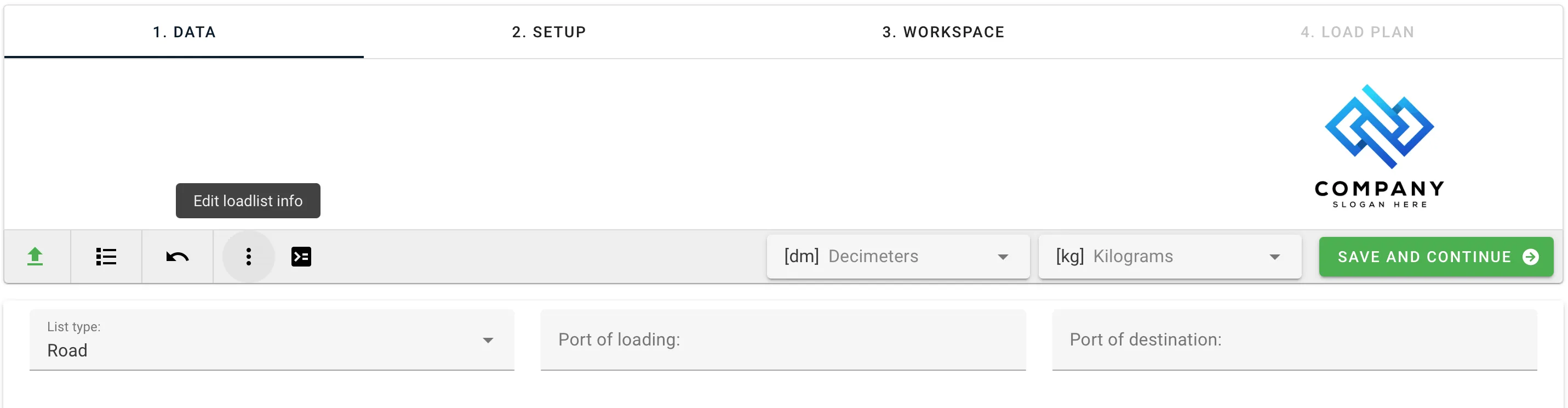
The load plan carries two document-level fields, Port of loading and Port of destination. They also appear on exports and share links, but they are not only metadata: they take part in route planning. The Port of loading is where the route starts, so routing needs it as well as a destination on each item — see Enable routing.
Both fields live on the loadlist data page, inside a collapsible Edit loadlist info panel — open it with the three-dot menu in the toolbar. Both accept free text.
When routing is not the right tool
Routing is destination-string based, so it only makes sense for road plans with actual delivery stops. For any other ordering problem, other mechanisms are more direct:
- Priority on each cargo item — the simplest way to control the load order. A cargo with priority
3loads before one with priority2, and both load before cargoes with no priority set. Priority is often the cleanest choice when the load sequence is a business decision rather than a route. - Must be loaded before — a pairwise custom rule between two item selectors, for one-off ordering constraints.
- Order by — a custom rule that sorts loading order by any cargo property (weight, SKU, custom column).
Routing overrides Priority when it is on. The two custom rules above are independent of the routing toggle — the load plan does not merge them with destination sequencing.
Related
- Cargo properties — the Destination column and free-text conventions.
- Custom rules — for ordering constraints that don’t fit destination-based sequencing.
- Primary settings — the rest of the Primary settings tab where the routing toggle lives.